- Open your JetBrains IDE
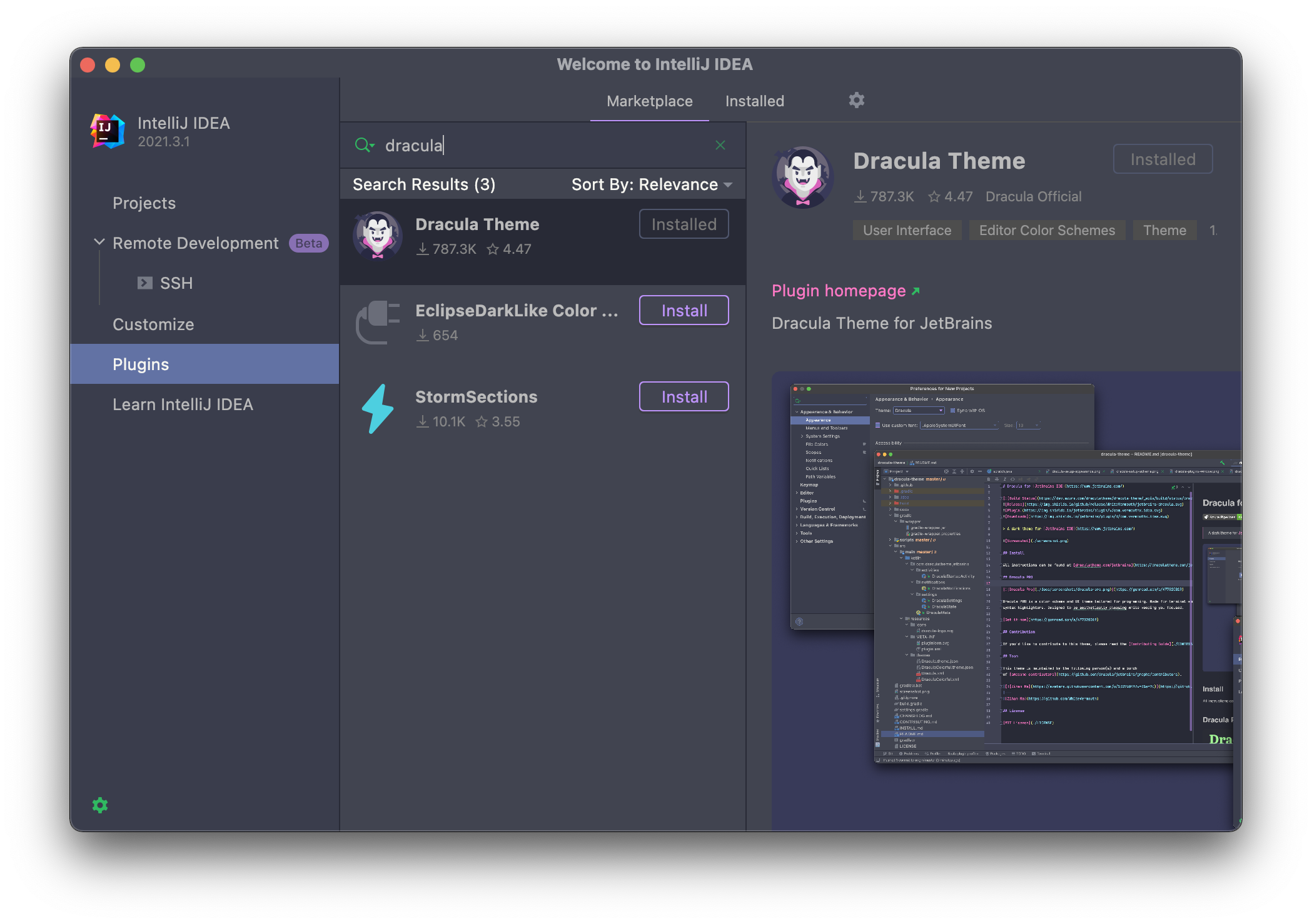
- Navigate to Plugin Marketplace
- Search for
Dracula - Click Install
Configure Appearance:
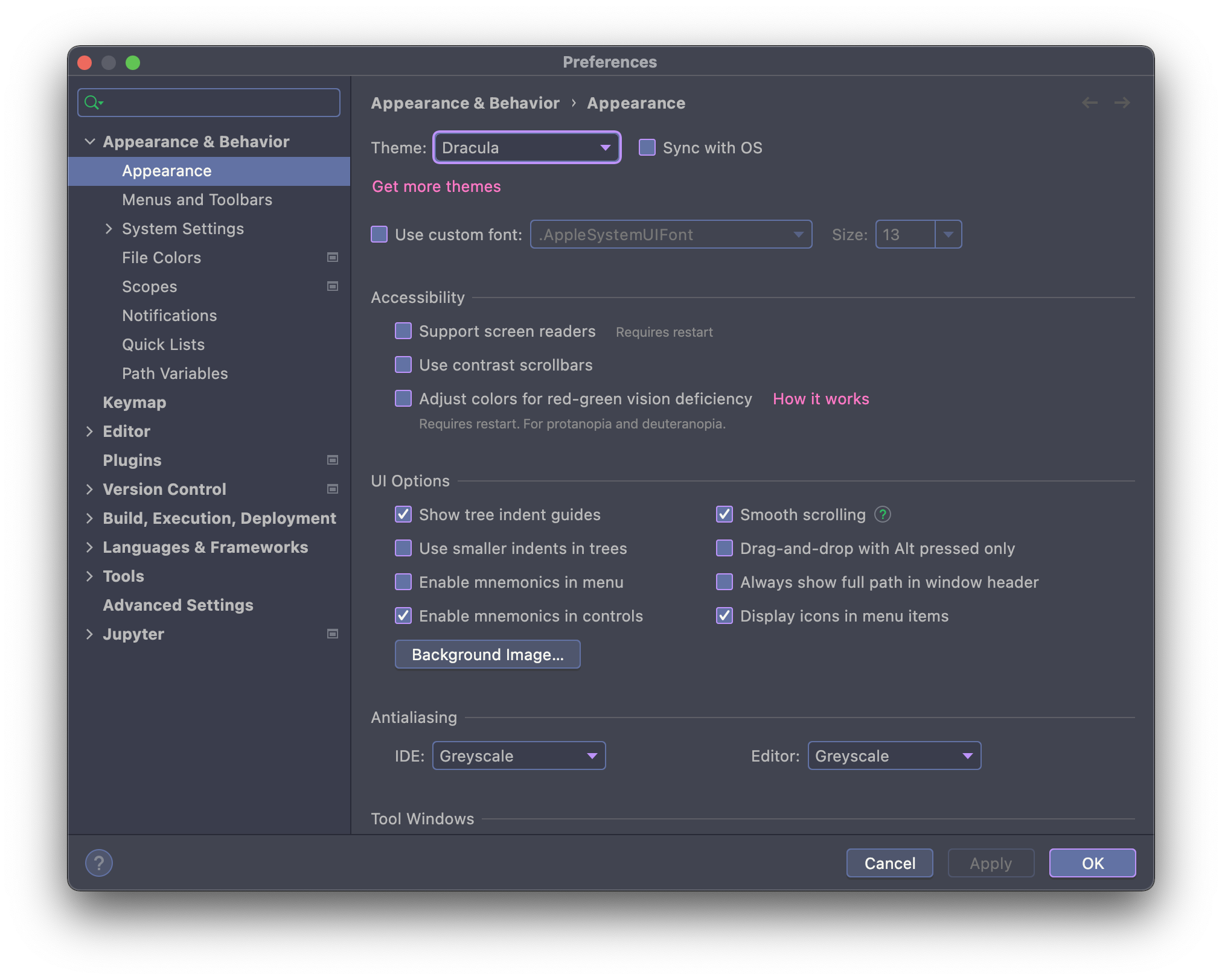
- Go to Preferences → Appearance & Behavior → Appearance
- Select
Draculafrom the Theme dropdown menu
Configure Color Scheme:
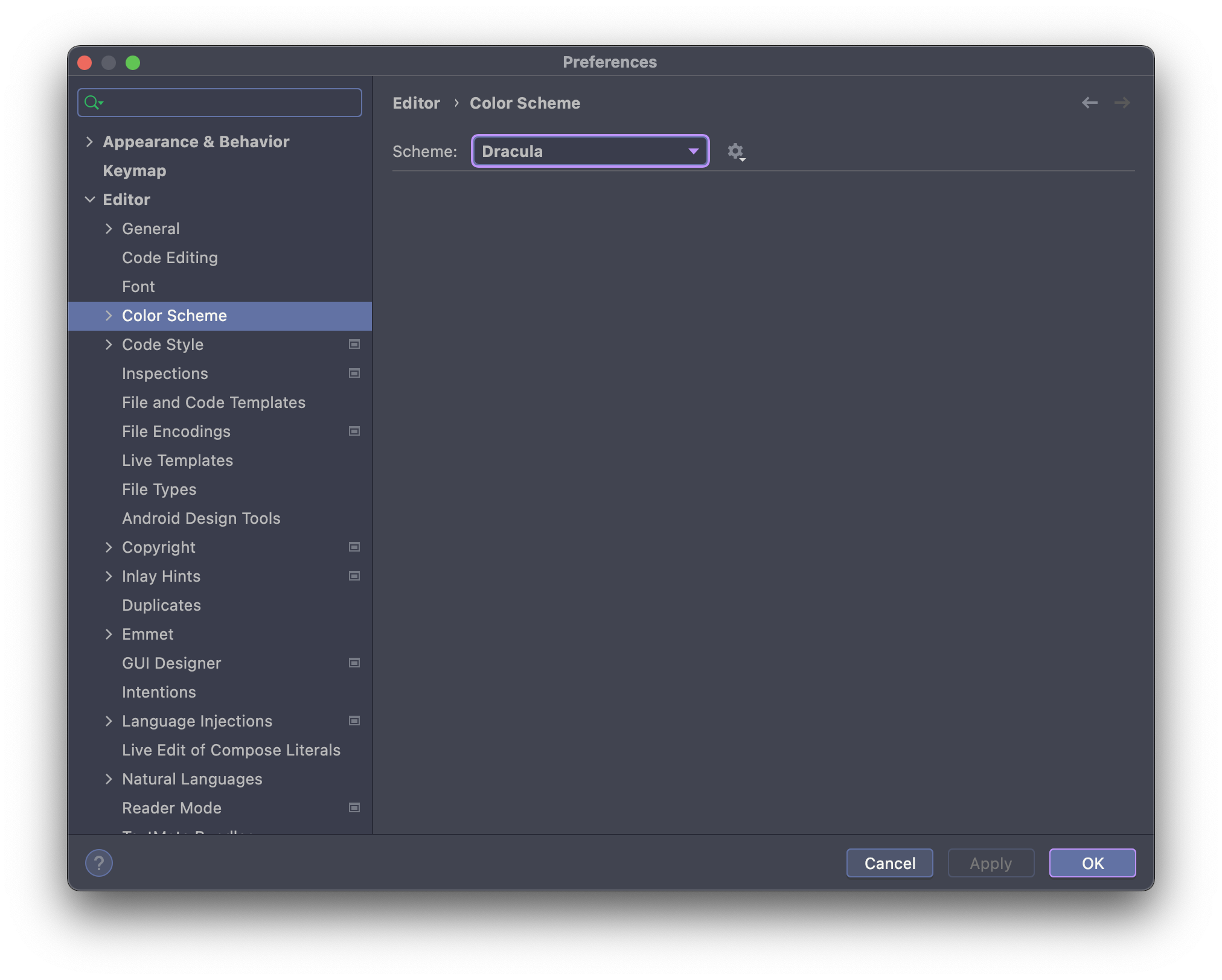
- Go to Preferences → Editor → Color Scheme
- Select
Draculafrom the Scheme dropdown menu
- Minimum Version: JetBrains IDE 2025.3 or later (latest release recommended)
- Color Scheme Reset: If you've previously customized the Dracula Color Scheme, restore defaults after upgrading for optimal experience